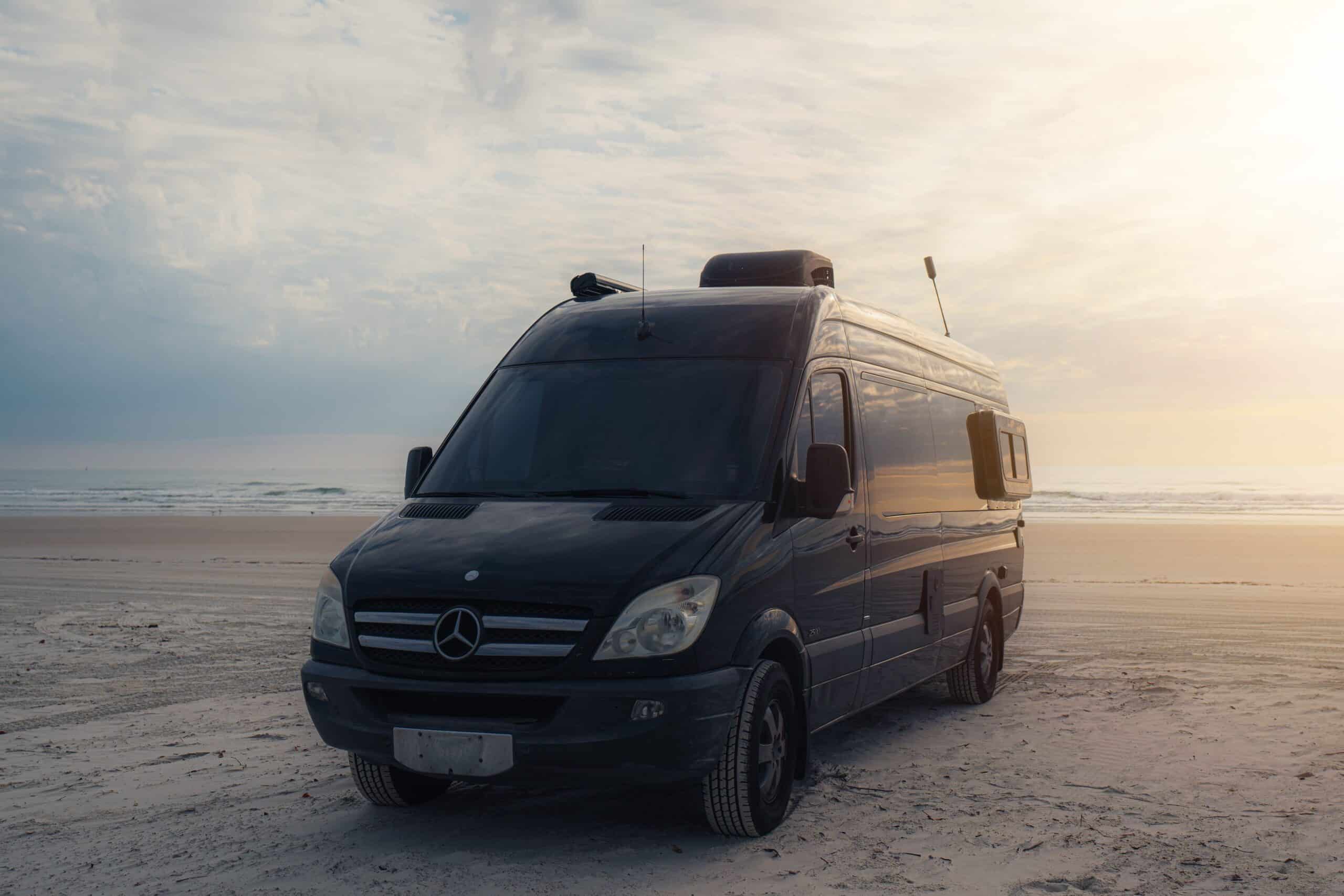
Yes, Starlink works in an RV, and for most travelers it’s the most reliable option for remote connectivity available today. Which plan you choose, what hardware you install, and whether you’re parked or driving all determine how well it actually performs.
This guide covers every plan option, the hardware you need, real costs, and what to expect in different real-world scenarios.
Yes, Starlink Works in an RV, Here’s What That Actually Means
Starlink satellite internet uses a constellation of low-earth orbit satellites operated by SpaceX to deliver broadband coverage across most of North America. Because the satellites orbit much closer to Earth than traditional satellite providers, latency is significantly lower and speeds are meaningfully better. For RV owners, that’s the difference between a usable video call and a frozen screen.
Your actual experience comes down to two variables:
- Which Starlink RV plan you’re on.
- Whether you’re stationary or moving. A parked rig with a clear view of the sky can pull impressive speeds; a moving rig on the standard dish is a different story entirely.
Why Starlink Outperforms Cellular in Remote Areas
Cellular data depends on tower proximity, and coverage maps make this look more binary than it actually is. Signal strength degrades well before you’re technically “out of range,” so a hotspot showing a bar or two often still can’t sustain a video call or handle a large upload. Boondocking locations, national forest roads, and remote desert campsites are exactly where cell towers thin out and cellular reliably fails.
Starlink doesn’t depend on that ground infrastructure at all. As long as the dish has a clear view of the sky, it connects the same way whether you’re 50 miles from the nearest tower or parked in a suburban driveway. That’s the primary reason full-time RV living has shifted toward satellite as the default connectivity solution rather than a backup.
Starlink Plans for RVers: Which One Should You Choose?
Choosing the wrong plan creates problems that pricing alone doesn’t reveal. The Roam tiers let you travel across service areas without plan changes. The Residential plan does not. Here’s the comparison that matters before you commit.
| Plan | Monthly Cost | Data | In-Motion Eligible | Best For |
| Roam 100GB | $55 | 100GB, then throttled | No | Weekend campers with campground Wi-Fi backup |
| Roam 300GB | $80 | 300GB, then throttled | No | Regular travelers who need more headroom than 100GB without paying for Unlimited |
| Roam Unlimited | $175 | Unlimited | No | Full-timers, remote workers |
| Roam + Mobile Priority | $175 + add-on | Priority data | In-motion dish only | Drivers needing connectivity while moving |
| Residential | ~$130 | Unlimited | No | Home use; risky for mobile |
*Pricing sourced from Starlink.com/roam and subject to change.*
The Roam 100GB plan throttles speeds after the data cap is reached rather than cutting service entirely. Practically, that means video streaming degrades and video calls become unreliable. For a weekend camper who supplements with campground Wi-Fi, that tradeoff works. For a full-timer working remotely, it doesn’t.
Avoid the Residential plan for mobile use. Starlink’s terms allow service suspension if the account detects regular movement outside the registered service address. The Roam plans exist precisely to handle travel, and they’re the right foundation for any RV internet connection.
One more cost-of-ownership factor worth noting: if you’re budgeting for a full travel setup, understanding how much you should pay for storage for your rig between trips is part of the same annual calculation.
Roam 100GB vs. 300GB vs. Unlimited: The Right Call for Your Travel Style
With three tiers now instead of two, the right plan comes down to how often you’re actually online, not just how often you travel:
- Roam 100GB fits a weekend camper who parks at campgrounds three or four times a year and can reserve Starlink for video calls and heavy-bandwidth tasks while leaning on campground Wi-Fi otherwise.
- Roam 300GB fits the traveler in between: regular trips, some remote work or streaming, but not a full-time setup. It closes the gap that used to force this group into paying for Unlimited just to avoid running out of data on 100GB.
- Roam Unlimited fits full-timers and remote workers who stream, video-call, or upload large files daily without much room to ration data. Roam Unlimited also supports Mobile Priority data add-ons, which provide higher-priority bandwidth at congested locations where shared satellite capacity slows things down.
Pause and Resume: How Seasonal RVers Can Cut Annual Costs
Starlink offers a Standby mode that suspends full service for $10 per month instead of the full monthly subscription cost.
| Standby Mode | Cancel and Reactivate | |
| Cost while paused | $10/month | $0/month |
| Account status | Stays active | Closed |
| Hardware pairing | Preserved | May need to be redone |
| Promotional pricing | Preserved | At risk of being lost |
For an RVer who travels four months per year, Standby Mode reduces annual Starlink costs significantly while keeping the account active and ready, without the equipment and pricing risk that comes with fully canceling and reactivating each season.
What Hardware Do You Need for Starlink in an RV?
The Starlink hardware kit comes in three configurations with meaningfully different price points and capabilities. Knowing which one fits your travel style before ordering saves a costly return.
- Starlink Mini ($249): Compact, lower power draw, designed for portable satellite internet use. Best for van builds, small trailers, or travelers with limited solar capacity.
- Standard Dish ($349): The most common RV setup. Works well for stationary use at campsites but is not designed for in-motion connectivity.
- In-Motion High-Performance Dish (~$2,500): The only hardware authorized for use while driving. Requires a Mobile Priority data add-on at $250/month. Overkill for stationary campers; necessary for operators who need connectivity on the road.
The Ethernet Adapter: Why You Probably Need It
The standard Starlink dish does not include a built-in Ethernet port. Without the Starlink Ethernet adapter (approximately $25, available directly from Starlink’s website), you can only access the dish through the Starlink app’s built-in router mode. That limits your router and Wi-Fi setup options significantly.
Most RVers pair the Starlink dish with a travel router such as a Pepwave or GL.iNet unit to build a proper in-coach network, and none of that works without the adapter. Order it at the same time as your dish. It’s the most commonly missed step in the entire setup process.
Roof Mounting vs. Ground Deployment: What to Consider
Roof Mounting vs. Ground Deployment: What to Consider
Where you put the dish matters as much as which dish you buy.
| Ground Deployment | Permanent Roof Mount | |
| Setup | Tripod or pole mount | Roof penetration required |
| Time to set up | A few minutes | Requires planning |
| Sealant needed | No | Yes, weatherproof sealant to prevent water intrusion |
| Warranty risk | None | Improperly sealed penetrations can void the RV manufacturer’s roof warranty |
| Weight considerations | None | Verify roof’s weight load rating first; some fiberglass roofs have limits |
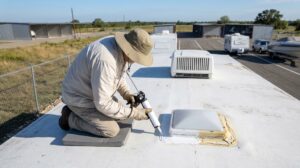
Ground deployment is the simplest approach for stationary use since it works well at most campsites with no permanent commitment. A permanent roof mount requires more planning, and the same risk is covered in our guide on how to protect your RV exterior: get the sealant and load rating right the first time, since redoing a roof penetration is a lot more expensive than not needing to.
Real-World Starlink Performance in Different RV Scenarios
Speed test averages don’t tell you what Starlink actually feels like at 7 PM in a packed campground versus a remote canyon road at noon. Here’s what to expect in the environments where RVers actually use it.
- Boondocking in remote terrain: This is where Starlink performs best. With a clear sky view and low satellite congestion, download speeds of 50 to 100+ Mbps and latency under 50ms are typical, enough to run a video call, stream in HD, and have a second device downloading a map update all at once without anyone noticing a slowdown. This is the scenario that makes Starlink worth the monthly subscription cost for most off-grid travelers, since it’s often the only connectivity option at all.
- Full-hookup campground or RV park: Expect performance to drop during peak evening hours when multiple Starlink users on the same lot share the same satellite capacity. Speeds of 10 to 30 Mbps are realistic at busy campgrounds, which is still enough for browsing, email, and standard-definition streaming, but a work video call at 6 PM in a full 200-site park is where you’ll notice stutter or a dropped connection.
- Heavy tree cover or canyon terrain: Obstructions and line of sight are Starlink’s primary weakness. A campsite tucked under a full pine canopy, or a canyon site with rock walls on two sides, can cause frequent dropouts even though the same dish would perform well 200 yards away in a clearing. Use the obstruction checker in the Starlink app before you set up to identify potential blockers at your specific spot, not just the general area. If the trees are thick, a ground mount with some elevation, on a picnic table or a ladder rack, may help.
- Driving or in-motion: The standard dish and Mini are not designed or authorized for in-motion use. Only the high-performance flat dish with Mobile Priority data is built for moving operation, the setup a full-time overlander running a business from the road would need, not the pole-mount kit a weekend camper uses at a site. Attempting to use the standard dish while driving may produce unreliable service and can conflict with Starlink’s terms of service for the Roam tier.
Many RVers who rely on Starlink for remote travel also need a secure place to store their rig between trips, particularly those using the Pause feature during off months. If your rig sits between trips rather than living in your driveway, keeping it at a dedicated RecNation RV storage facility protects your investment, including any mounted hardware, while it’s not in use.
When Campground Wi-Fi Makes More Sense Than Starlink
A Roam 100GB subscriber parked at a campground with adequate Wi-Fi has a straightforward data conservation move available:
- Use campground Wi-Fi for: Email and basic browsing.
- Reserve Starlink for: Video calls and streaming, where quality matters.
This approach stretches the data cap to cover the remote legs of your trip, where campground Wi-Fi isn’t an option. A travel router with dual-WAN capability can automate the switchover between connections, so you don’t have to manage it manually.
Power Requirements for Running Starlink in an RV
Power draw varies by dish, and it’s worth matching to your setup before you buy:
- Standard dish: 50 to 75 watts operating, 15 to 30 watts at idle, roughly 1 to 1.5 kWh over a typical day of use.
- Starlink Mini: Approximately 20 to 40 watts peak, significantly less than the standard dish.
A 200Ah 12V lithium battery bank, which provides approximately 2.4 kWh of usable capacity, can handle the standard dish alongside moderate other loads for a full day without shore power. For solar-dependent van builds or small travel trailers with limited battery capacity, the Mini is the more practical choice. AGM battery setups with lower usable capacity will feel the standard dish’s draw more meaningfully, particularly during extended off-grid stays.
Most RVers power the Starlink dish through an inverter, though some setups use a direct DC-to-DC adapter where available, which is slightly more efficient. If your electrical system is already stretched, verify your setup with an RV electrician before adding Starlink to the load.
RVers with a permanently mounted dish may want to consider covered storage to protect the hardware from UV degradation and weather exposure between trips, since storing an RV outside unprotected accelerates wear on roof-mounted equipment just as much as it does on the roof itself.
Can You Run Starlink While Dry Camping?
Yes, with adequate solar and battery. A minimum of 200 watts of solar panels and a 100Ah lithium battery provides a workable foundation for the standard dish under normal use conditions. The Starlink app includes a sleep mode option that reduces idle power draw overnight, which is worth enabling any time the dish isn’t actively in use.
Matching your power setup to your actual usage pattern, rather than always running at peak draw, makes dry camping with Starlink genuinely sustainable.
Final Thoughts on Starlink for RV Travel
Starlink has made reliable RV internet connection genuinely achievable for the first time, but the setup, plan choice, and hardware decisions still matter. For RVers who store their rig between trips and want it ready to go when they are, RecNation RV and boat storage offers secure, dedicated storage facilities designed around large vehicles. Keeping your rig stored properly between adventures means your Starlink setup and everything else is protected and waiting when you’re ready to hit the road again.
Frequently Asked Questions About Starlink for RVs
How much does Starlink cost for RV use per month?
Starlink’s Roam plans start at $50 per month for 100GB and $165 per month for Unlimited. Hardware is a separate upfront cost: the Mini dish is $249, the standard dish is $349, and the in-motion high-performance dish runs approximately $2,500. Seasonal RVers can reduce the annual total by using the Pause feature for $5 per month during off-season months rather than canceling and resubscribing. Pricing is sourced from Starlink.com and subject to change.
Can you use Starlink while the RV is moving?
The standard Starlink dish and Mini are not designed for in-motion use and may produce unreliable service while driving. Moving operation requires the high-performance flat dish, approximately $2,500 in hardware, paired with a Mobile Priority data add-on. Attempting to use the standard dish in motion may conflict with Starlink’s terms of service for the Roam plan tier.
How do you mount a Starlink dish on an RV?
The simplest method is a ground-deployed tripod or pole mount, which requires no roof penetration. For a permanent roof mount, any roof penetration must be sealed with weatherproof sealant to prevent water intrusion and protect the RV manufacturer’s roof warranty. Before mounting permanently, confirm your roof’s weight load rating, as some fiberglass roofs have limits that affect hardware placement.
Is Starlink better than a cellular hotspot for RV camping?
Starlink outperforms cellular in areas without reliable tower coverage, which is exactly where off-grid and boondocking campers travel. At well-connected campgrounds or in urban areas, a cellular hotspot may offer faster and cheaper connectivity than a Starlink Roam plan. Most full-timers use both: Starlink as the primary connection in remote areas and a cellular backup at congested locations with dense tower coverage.
Does Starlink work in remote or off-grid locations?
Yes, and this is where it performs best. In areas with no cellular coverage, Starlink satellite internet typically delivers 50 to 100+ Mbps download speeds and latency under 50ms when the dish has a clear view of the sky. Performance is reduced by heavy tree canopy, canyon terrain, or any geographic feature that breaks the dish’s line of sight to the satellite constellation. Service availability by location can be checked before your trip using the coverage map at Starlink.com.